Setting Up a Productive Home Workspace in a Small Space
Disclosure: As an affiliate, I may earn a commission from qualifying purchases made through my links at no extra cost to you.

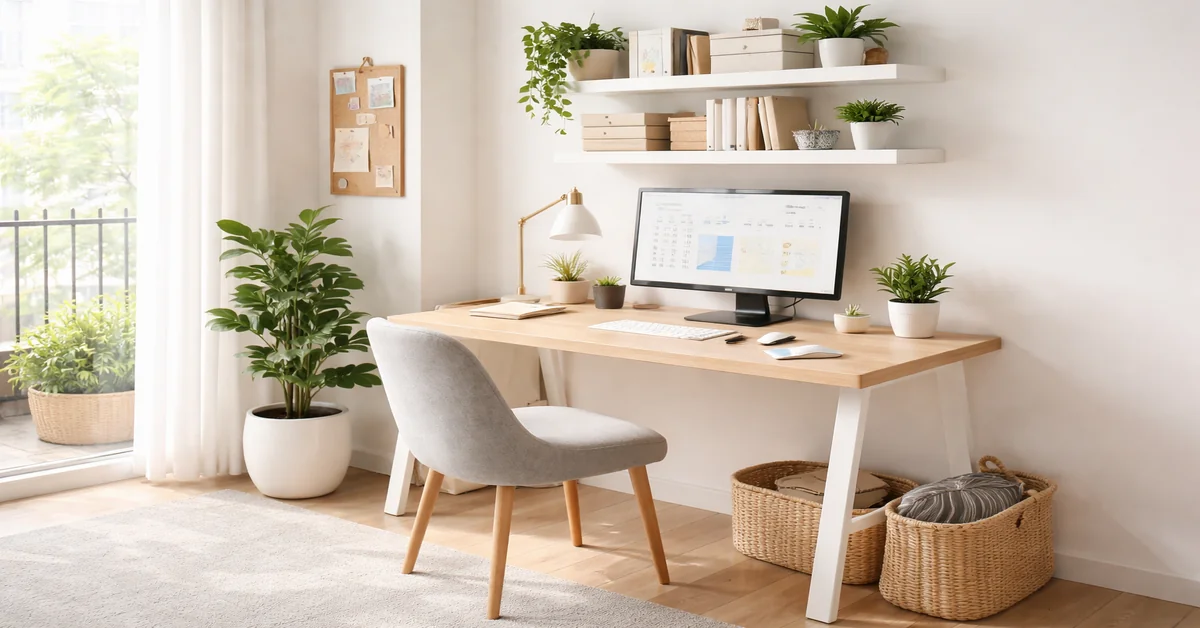
Designing a workspace in a small home can feel like solving a difficult puzzle. However, a great setup is about more than just finding a spot for your laptop. It is about creating an environment that helps you focus and stay in the zone. Whether you are working from a corner of a studio apartment or a repurposed closet, the right choices can turn a cramped area into a personal sanctuary.
In this guide, we will look at how to balance style and comfort to build a workspace that helps you get things done.
How Your Environment Affects Your Work
Research shows that our physical surroundings directly impact our stress levels and our ability to concentrate. Cluttered or dark spaces often lead to mental fatigue. By organizing your workspace, you are essentially training your brain to switch into work mode the moment you sit down.
Step 1: Find Your Nook
The first step is to create a “zone” for work. You need a mental boundary between where you relax and where you work.
- The Window View: If you can, place your desk near a window. Natural light is a great mood booster.
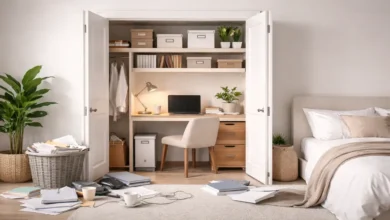
- The “Cloffice”: You can save floor space by removing closet doors and installing a floating desk inside.
- Use the Corners: Corner desks are perfect for using space that usually goes to waste.
Product Tip: A compact L-shaped corner desk offers plenty of room for a laptop and monitor without taking over the entire room.
Step 2: Prioritize Comfort
In small homes, people often buy smaller furniture that lacks support. This often leads to back and neck pain. To stay focused, you need to be comfortable.
- Chair Height: Keep your feet flat on the floor with your knees at a 90-degree angle.
- Screen Level: The top third of your monitor should be at eye level.
- Arms and Wrists: Your elbows should stay at your sides, forming a 90-degree angle while you type.
Product Tip: An ergonomic mesh office chair provides back support and keeps you cool without the bulk of a large executive chair.
Step 3: Use Your Walls
When you run out of desk space, look up. A messy desk usually leads to a messy mind.
- Pegboards: These are great for hanging headphones, tools, and small plants.
- Floating Shelves: Use these to keep books and reference materials off your desk.
- Cable Management: Use clips or boxes to hide messy wires.
Product Tip: A wall-mounted pegboard lets you customize your storage and keeps your desktop clear of distractions.
Step 4: Improve Your Lighting
Poor lighting can cause eye strain, which drains your energy.
- Layer Your Light: Use a mix of overhead lighting and a dedicated desk lamp.
- Pick the Right Tone: Use “cool white” light in the morning to stay alert and “warm” light in the evening to help you wind down.
Product Tip: An LED architect desk lamp with a clamp saves space on your desk and allows you to point light exactly where you need it.
Step 5: Engage Your Other Senses
Focus isn’t just about what you see.
- Sound: If your home is noisy, noise-canceling headphones are essential.
- Scent: Scents like peppermint or lemon can help you stay sharp and accurate.
- Plants: A small succulent or snake plant can improve air quality and give your eyes a rest from the screen.
Product Tip: A small essential oil diffuser can sit on a shelf and fill your workspace with focus-boosting scents like rosemary.
Common Mistakes to Avoid
- Working from Bed: This ruins your posture and makes it harder to sleep at night because your brain stops associating the bed with rest.
- Too Much Decor: While you want it to look nice, too many items become a distraction.
- Ignoring Wires: In a small room, visible cables make the area look more chaotic than it actually is.
- Using a Kitchen Chair: Sitting on a hard dining chair for eight hours can lead to long-term back issues.
Tips for Daily Productivity
- Clear the Desk Every Night: Spend two minutes at the end of the day tidying up. This gives you a fresh start the next morning.
- Use a Monitor Arm: This lifts your screen and opens up the desk space underneath it.
- Organize Your Digital Files: A cluttered computer desktop is just as distracting as a messy physical desk.
- Get a Good Mouse: A quality mouse reduces wrist strain and helps you work more efficiently.
Product Tip: A Logitech MX Anywhere wireless mouse is built for smaller spaces and works on almost any surface.
Choosing the Right Gear
When buying for a small space, focus on the size and scale of the items. A giant chair might be comfortable, but it isn’t helpful if you can’t open your door. Look for “apartment-sized” furniture and tools that serve more than one purpose. Quality is better than quantity; one good organizer is better than three cheap ones. Always measure your space before buying anything new.
Final Thoughts
Improving your workspace is an investment in your career and your mental health. You don’t need a large house to be productive. By choosing a style you enjoy and picking the right ergonomic tools, you can build a space that helps you do your best work.
FAQ
How can I make a small desk feel bigger? Try using a monitor arm to lift your screen and a keyboard tray. These steps can free up nearly half of your desk surface.
What is the best color for a small office? Light blues, greens, or off-whites work best. Blue helps you stay calm and focused, while light colors make a room feel bigger.
I don’t have a spare room. Where should I put my desk? Look for “dead space” like a wide hallway, a landing, or the area under the stairs. If you work in your bedroom, try using a room divider to hide your desk when you aren’t working.
How do I protect my floor from my office chair? You can use a clear mat or replace your chair wheels with “rollerblade” style rubber wheels. They are quieter and won’t scratch your floors.
Which part of your setup will you tackle first? I can help you find specific measurements for desks or suggest more ways to organize your space if you’d like.